
Introduction
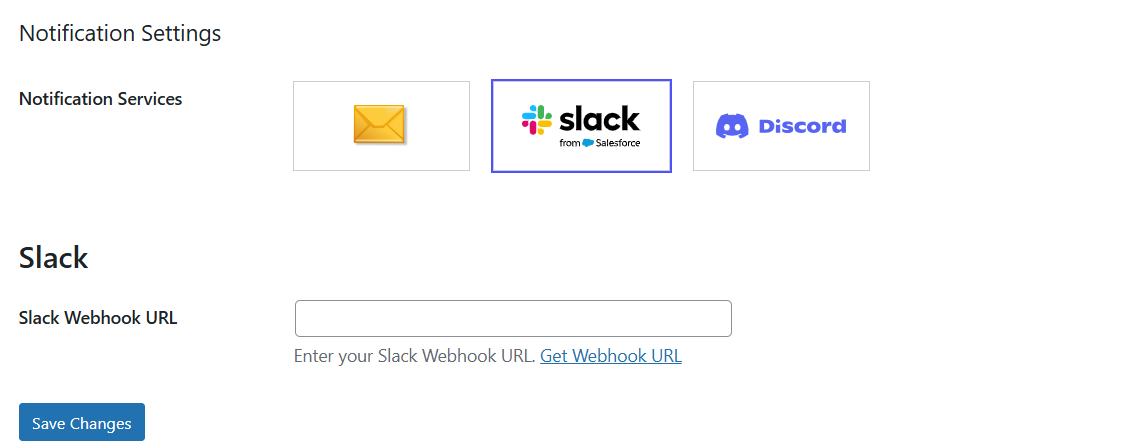
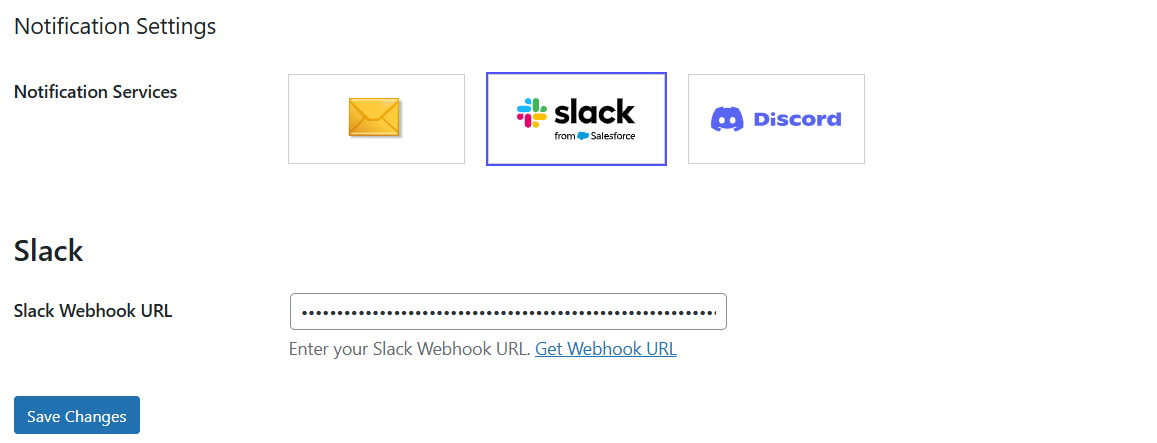
Once you choose Slack as the notification service in GoSMTP settings, you'll find a field to add Slack Webhook URL. Generate the Webhook URL in your Slack account and paste it there. This connects GoSMTP with Slack, enabling you to receive notifications on Discord whenever a email delivery failure occurs.
After installing GoSMTP, you can easily configure the plugin's settings. Just go to GoSMTP » Settings in your WordPress dashboard and navigate to the Notifications tab.

Basic configuration
After selecting Slack as your notification service in GoSMTP Notification Settings, you'll see a field to enter your Slack Webhook URL.
Generate this Webhook URL from your Slack account and paste it into the field to connect GoSMTP with Slack, and receive an immediate alert to your inbox whenever a delivery failure occurs.
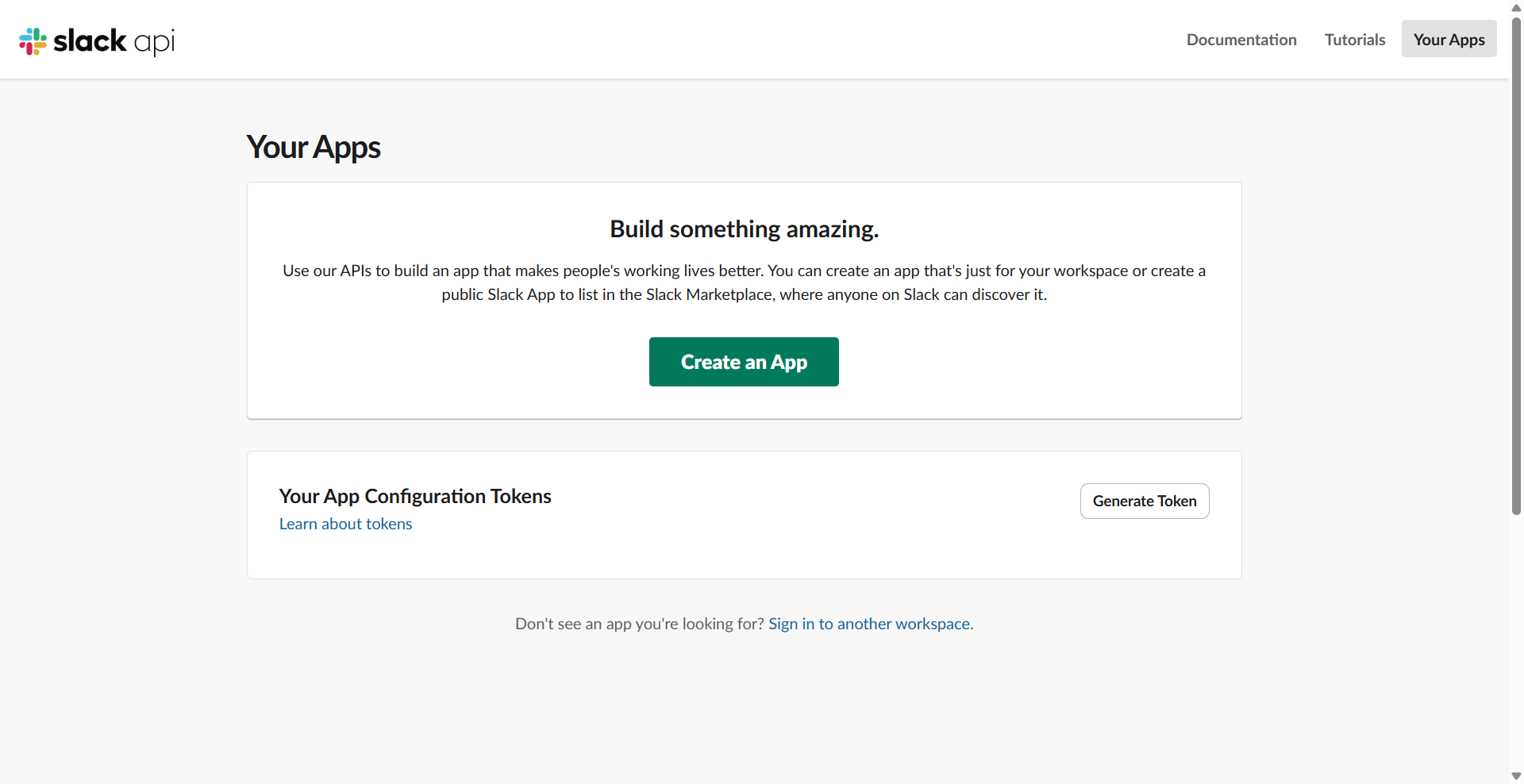
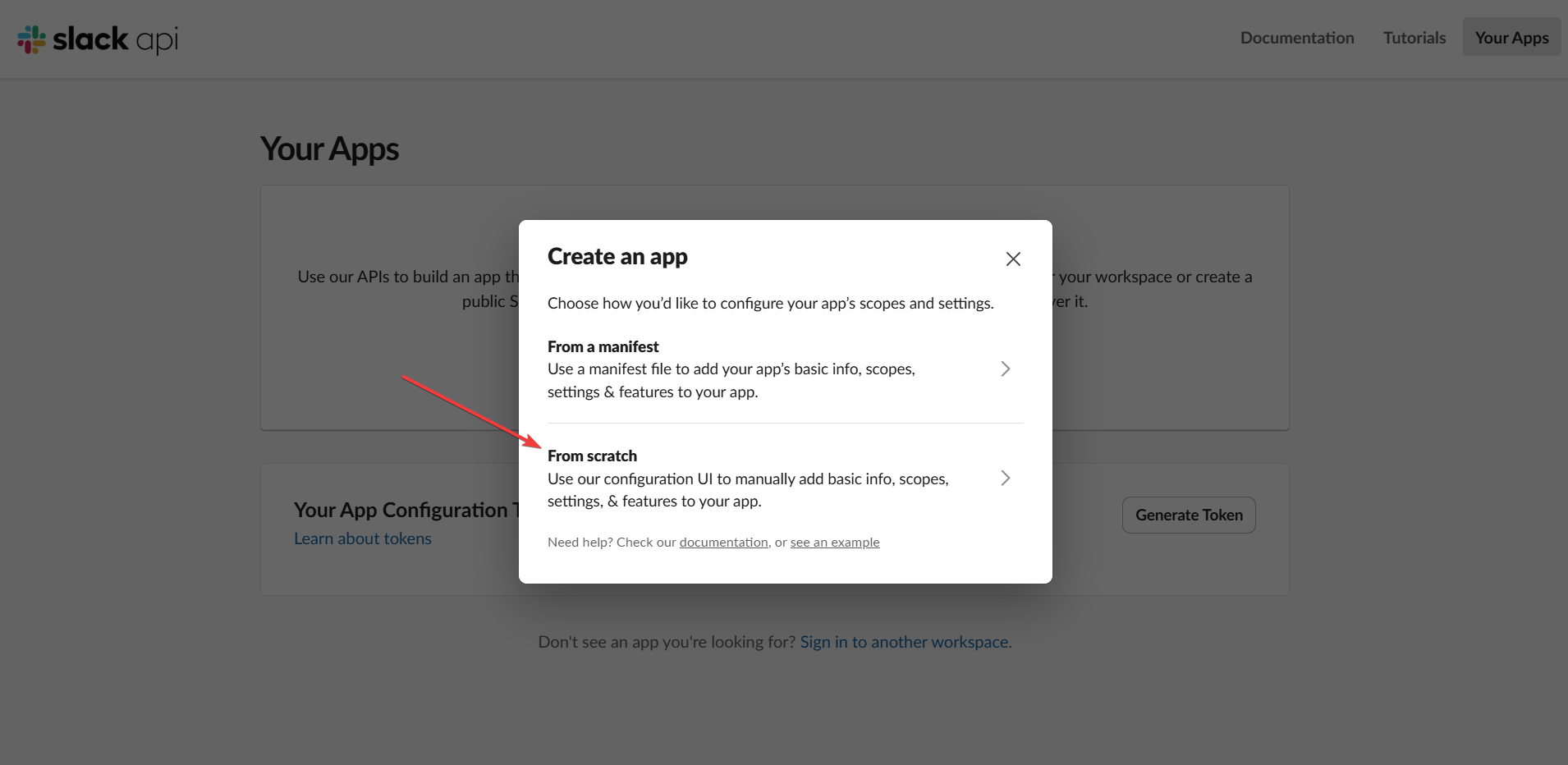
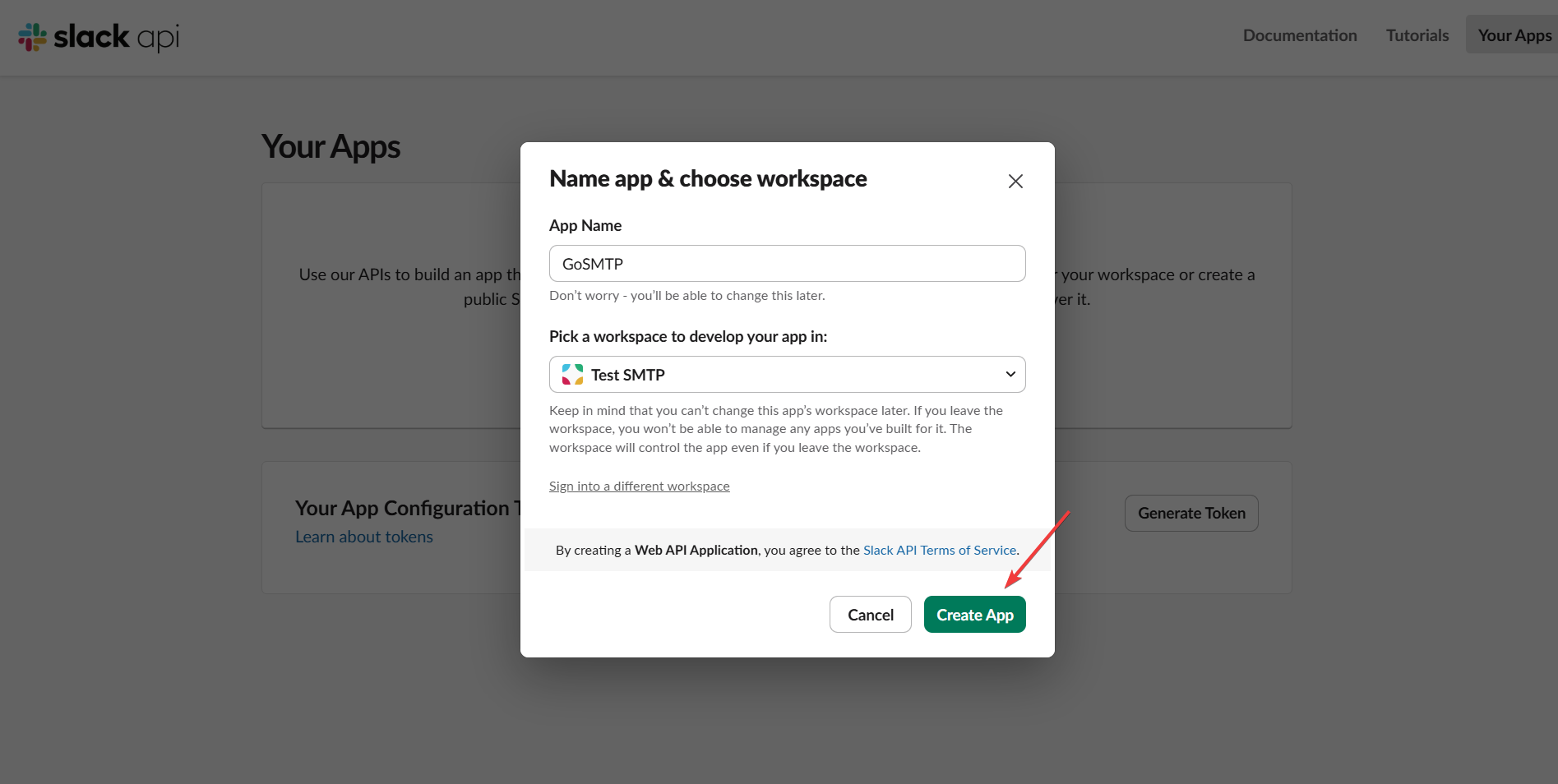
Creating Slack App
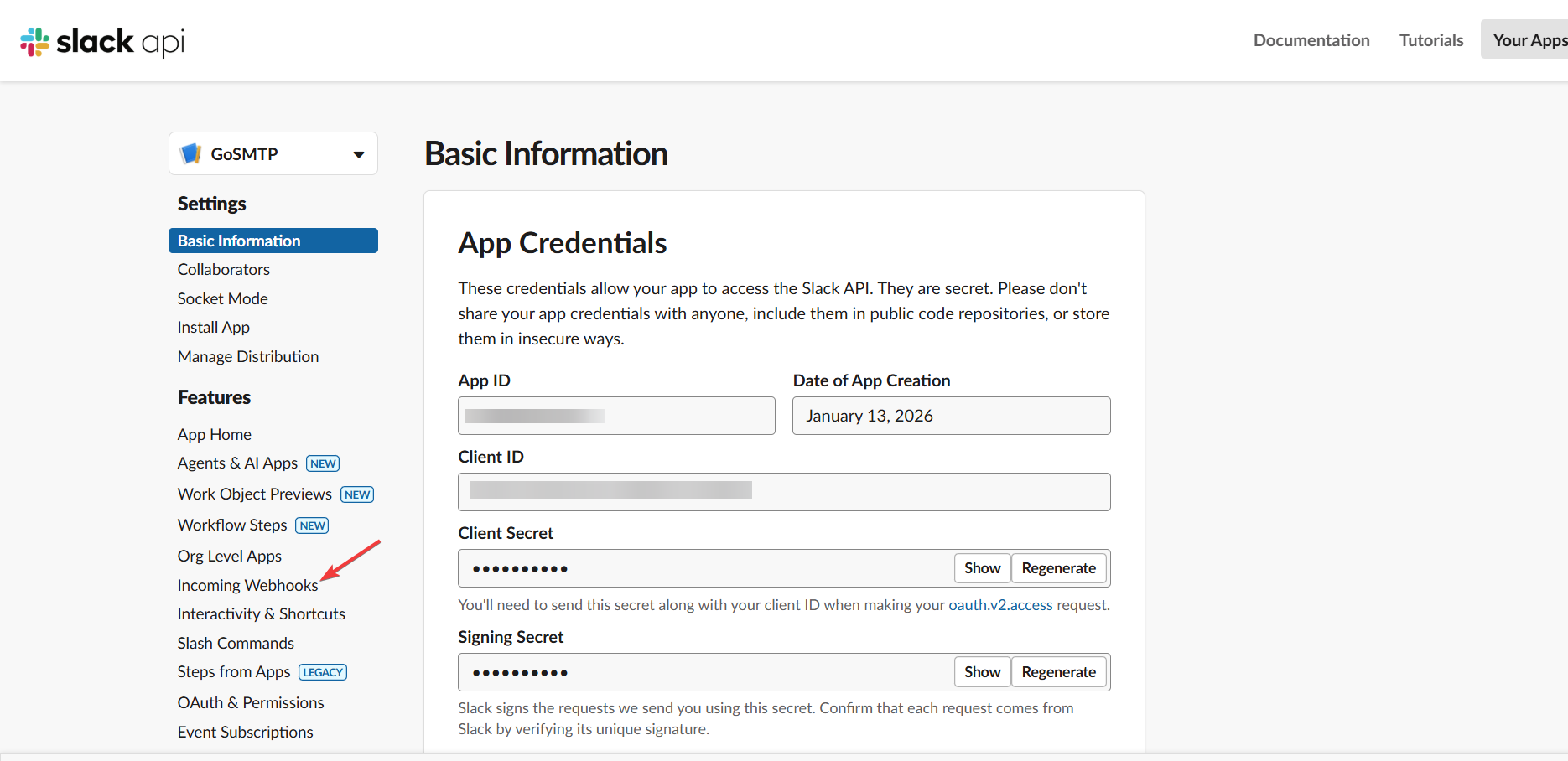
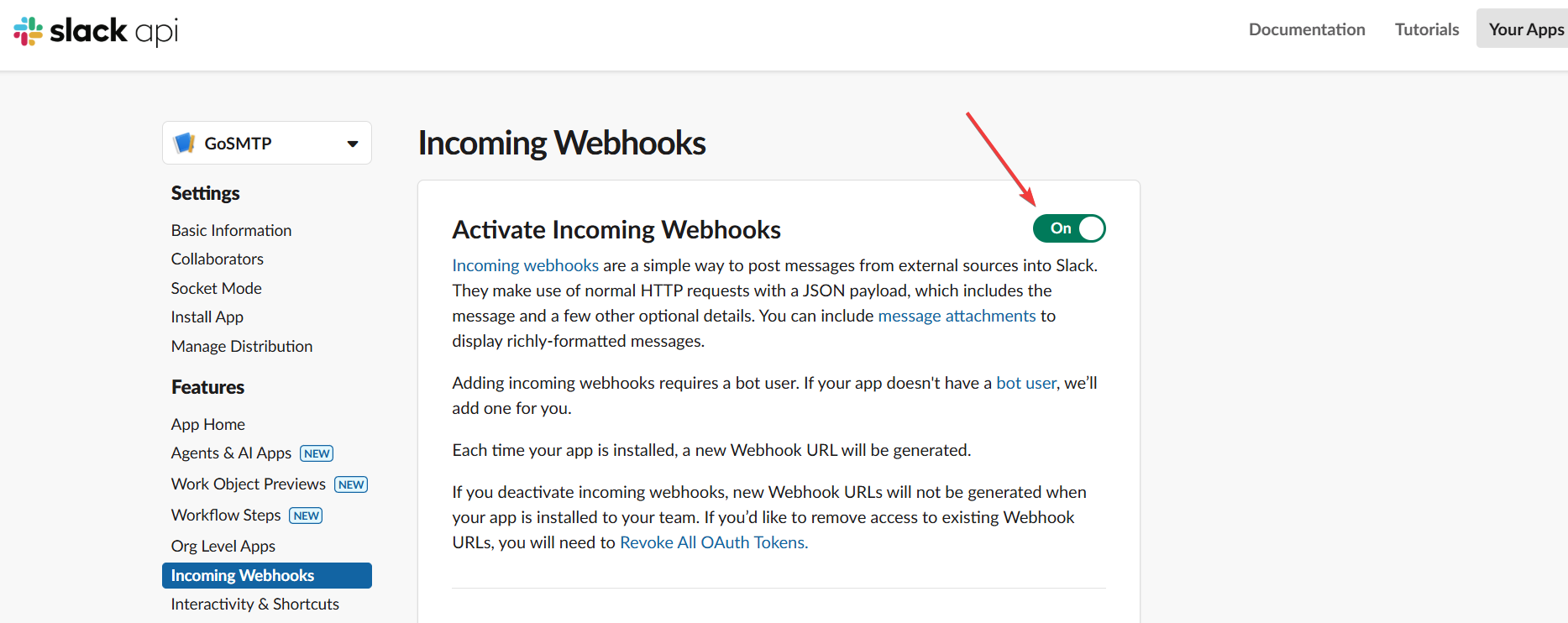
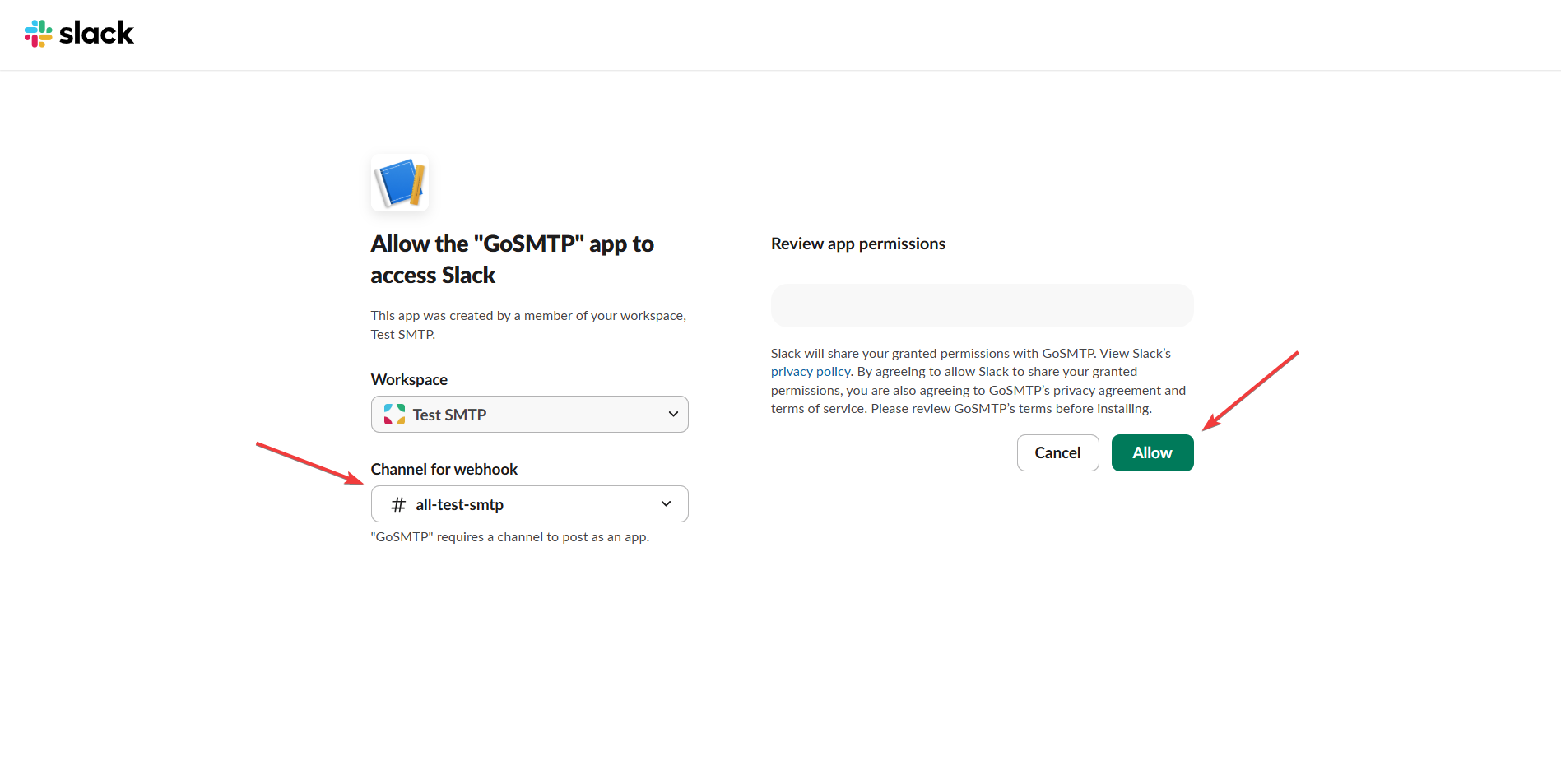
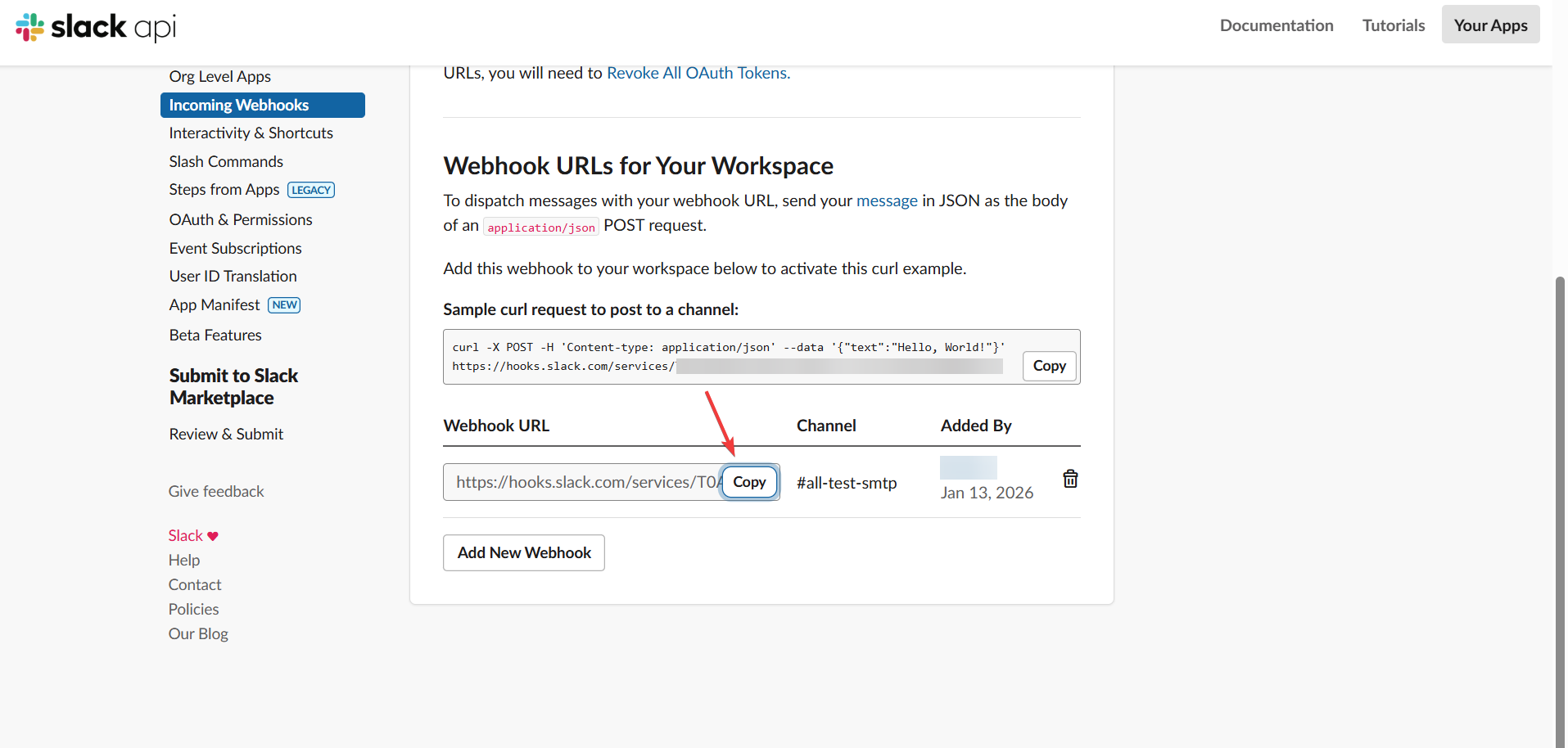
You will start receiving the notification for email failure, if you face any issue you can reach out to us at [email protected]